All the features of UppSales for agents and sales agencies

Caratteristiche dell'applicazione UppSales

Less time writing, more time selling

Collecting orders in the field should not require extra hours of work in the evening. UppSales was designed from a real problem: sales agents waste an average of 45-60 minutes a day rewriting orders, looking up product codes, and correcting errors that could have been avoided.

The starting point is the Excel price list: you import it into the app and it becomes the catalog from which to collect orders during visits, with prices and discounts per customer applied automatically.

Each feature responds to a concrete problem of fieldwork: wrong prices, orders transcribed at home in the evening, paper catalogs that do not turn into orders, confusion among price lists of different brands.

The function that changes everything: order directly from the PDF catalog

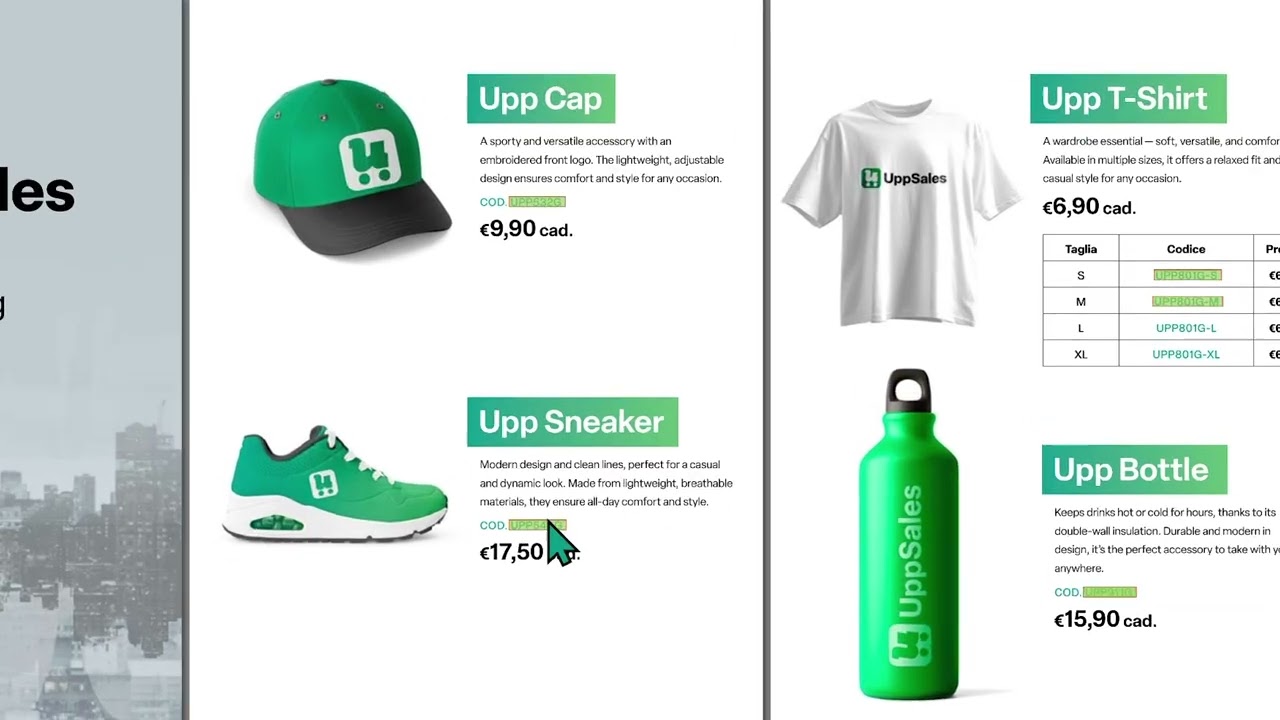
The real differentiator of UppSales from other agent apps is the ability to place products in the shopping cart by clicking directly on codes in the vendor’s PDF catalog while visiting the customer.

Without UppSales, the flow is this: the agent browses the catalog, notes the product codes that the customer is interested in, then manually re-enters them into the order, one by one. With UppSales, he taps the code on the catalog and the product goes directly into the cart, with the right price for that customer automatically applied.

An average order takes less than 3 minutes from opening the catalog to sending the confirmation. In the evening there is nothing to rewrite.
How the link between PDF catalog and products works

When a PDF catalog is loaded into the app, the system automatically tries to link the codes on the pages of the PDF with the product codes in the master data for that supplier. For all products for which it finds a match, it adds a link to the product sheet and the agent can add them to the cart with a simple click on the pdf during the visit. For products not automatically recognized, the link can be made manually.

Table displaying supplier PDFs with details like filename, size, and processing status. Four entries visible.

1. Product catalog from Excel price list

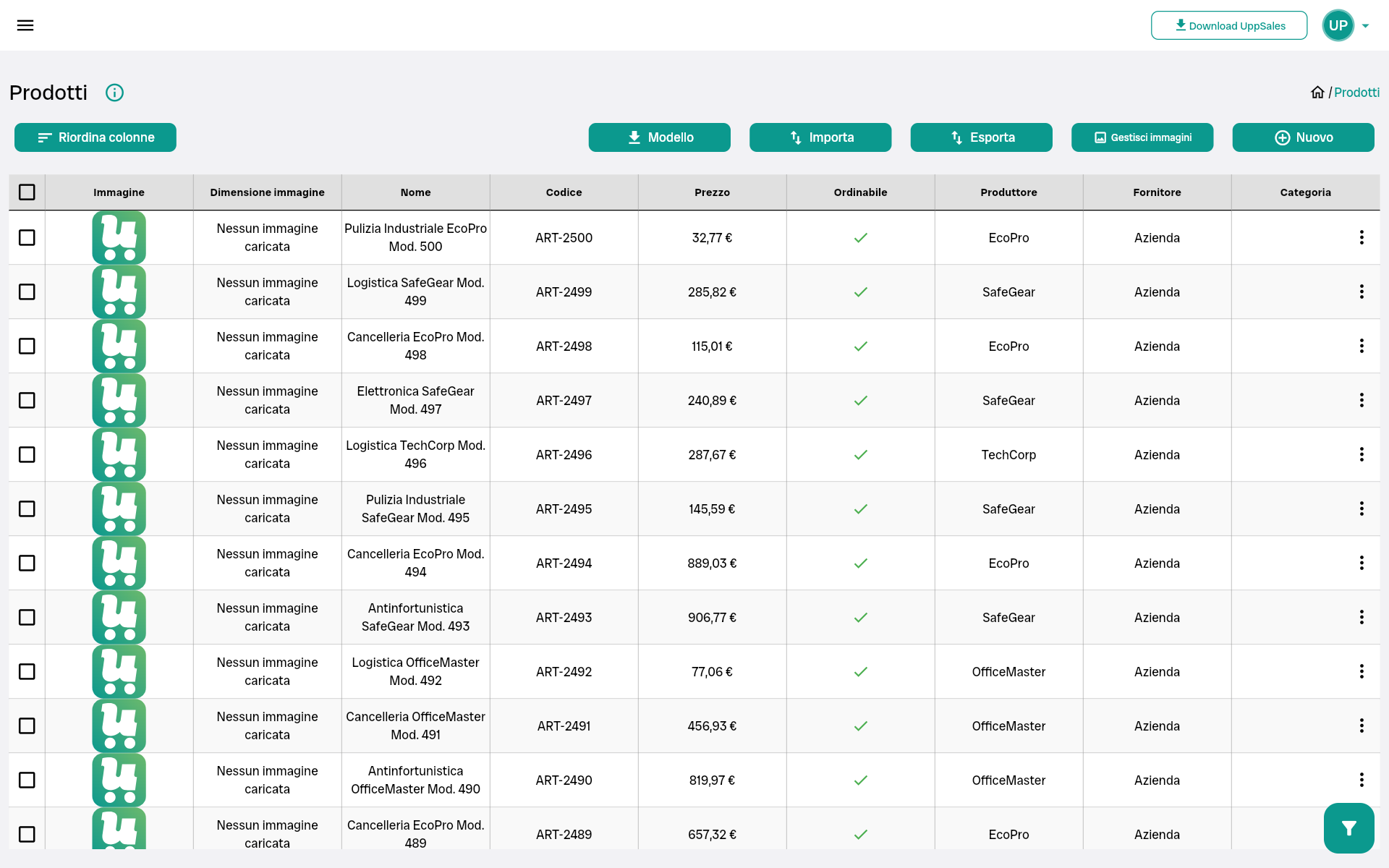
The UppSales product catalog is built by importing the supplier’s Excel price list-the same file you already use. Each imported product has a complete sheet with all the data needed to collect orders.

Identifying data

  • Product Code
  • First name
  • Description
  • Extended description
  • Technical description
  • Category
  • Manufacturer/brand

Business data

  • Base price
  • VAT rate
  • Excise duty
  • Commissions
  • List discounts

Logistical data

  • Minimum order quantity
  • Quantity per package
  • Unit of measurement
  • Flag not orderable

All fields can be imported from Excel or entered and edited manually from the app. The flow is completely bidirectional: everything you enter in the app you can export to Excel, edit and re-import. The product code is the same field used to link the PDF catalog when available.

  • Import from Excel in seconds, even for very large catalogs
  • If the Excel file has a custom structure, the column mapping is saved and reused automatically
  • Update price list: reimport the updated Excel and prices change for all agents right away (if you manage multiple agents)

→ Learn more: Data import: how the process works

import products
products

2. Collecting orders during the visit

The order is opened from the Orders section of the app by first selecting the customer. At that time, the system loads all of its business conditions and automatically applies them to each product added to the cart.

Products are selected in two ways, depending on what you have available:

From the app catalog

Search for the product by code or description in the catalog imported from Excel and add it with a tap. It works for all agents, even those who only have a paper catalog or work without a PDF.

From the supplier’s PDF catalog

If you have uploaded the supplier’s digital PDF and linked the codes to the products, you can open the pdf in the app and click the products directly from the pdf pages. You can use both modes in the same order.

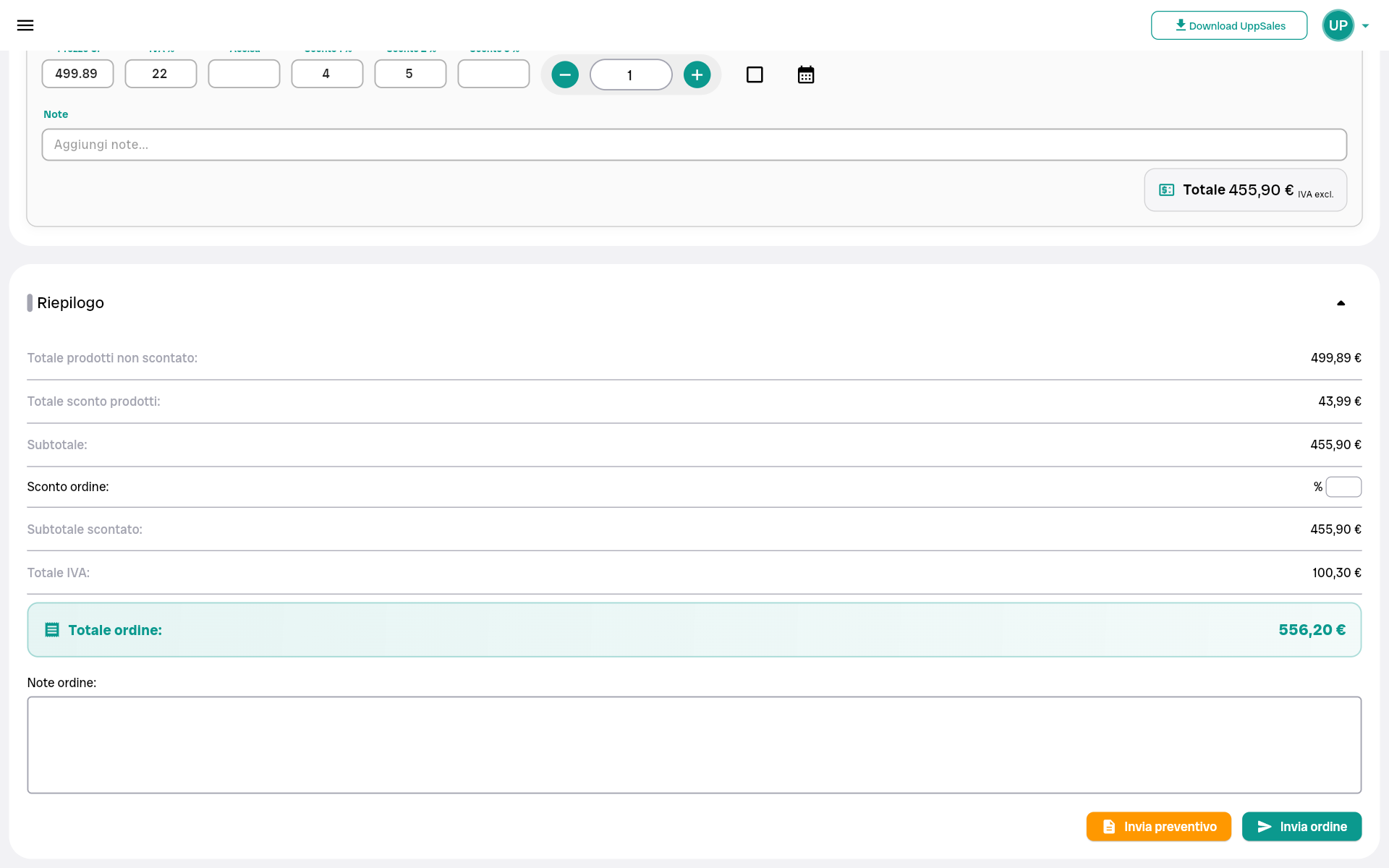
In both cases, the price in the shopping cart is the correct price for that customer – calculated on the base price of the price list with its commercial conditions already applied. The order starts before it goes out the customer’s door.

  • Adding products to cart
  • Minimum quantities met automatically, system alerts if quantity entered is below threshold
  • Ability to change the discount manually for individual order line, without altering customer rules
  • Complete order summary before sending: products, quantities, prices, total
  • One-tap submission: the supplier receives confirmation and the customer, if configured, automatically receives its copy

3. Pricing and discounts per customer – automatic priority logic

UppSales’ pricing and discount system works by priority levels. When an agent adds a product to an order, the system automatically looks for the most specific terms available for that customer and that product-and if it doesn’t find them, it moves up to the next level.

How the discount is determined

The system searches in the following order and stops at the first valid rule:

  1. Specific discount for that customer on that product
  2. Product category discount for that customer
  3. Discount from the supplier for that customer
  4. Customer price list (at product, category, or supplier level)
  5. Standard product discount

How the base price is determined

  1. Fixed price reserved for that customer
  2. Price in the customer’s price list
  3. Standard product price imported from Excel

If there are multiple valid options at the same priority level, the system automatically chooses the one most advantageous to the customer. The quantity ordered must fall within the minimum and maximum limits of the rule for it to be applied.

All of this is done automatically-the agent does not have to remember anything or do any calculations. If needed for a negotiation on the spot, he can change the discount manually for that individual order line without touching the rules configured for the customer.

→ Learn more: How UppSales works: configuring discounts and price lists

order1
order2
Screenshot of a shopping cart displaying the EcoPro safety product with price, discounts, and specifications.

4. Interactive PDF catalog of the supplier

If the supplier provides the catalog in digital PDF format, you can upload it into the app and link it to the products already imported from Excel. Linking is done by matching the product codes on the PDF pages with the codes in the master data; the system does this automatically for the codes it recognizes, and allows manual linking for the others.

Once connected, during the visit you can open the PDF in the app, browse through it with the customer just like a physical catalog, and click product codes directly on the pages to add them to the shopping cart. The PDF does not contain any price information reserved for the customer: prices and discounts are applied by the app according to the configured conditions.

  • Uploading PDFs of any size and format
  • Automatic recognition of product codes and linkage to master data
  • Seasonal update: upload the new PDF and the system repeats the automatic recognition
  • Multiple PDFs by supplier: separate seasons or product lines
  • Those who do not have the digital catalog continue to work normally from the app catalog

→ Learn more: Interactive PDFs, how linking works

5. Multi-mandate management

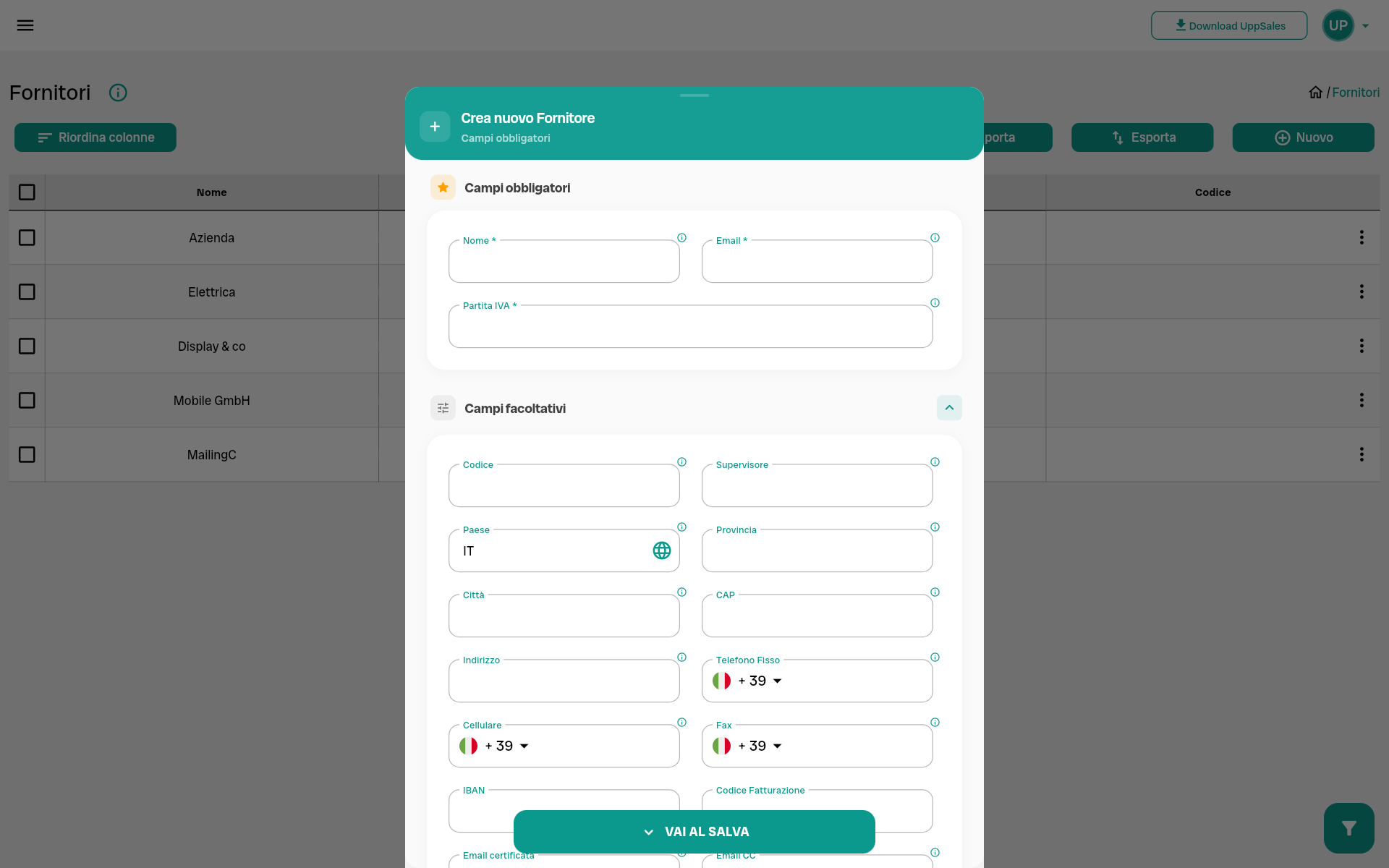
Each vendor has its own separate space in UppSales: product list, PDF catalog (if any), price lists, and customer trading conditions. Products, prices and discounts from different brands never mix.

During the same visit you can collect orders for different suppliers. Switch from one supplier to another with one click – without leaving the app, without opening separate files, without the risk of applying the wrong price list.

  • No limit on the number of providers that can be managed
  • Completely separate catalog, price list, and customer terms and conditions by supplier
  • One-click navigation between providers during the visit

→ Learn more: Types of users, single agent, multiple agent, agency

suppliers2
suppliers1

6. Data import and management

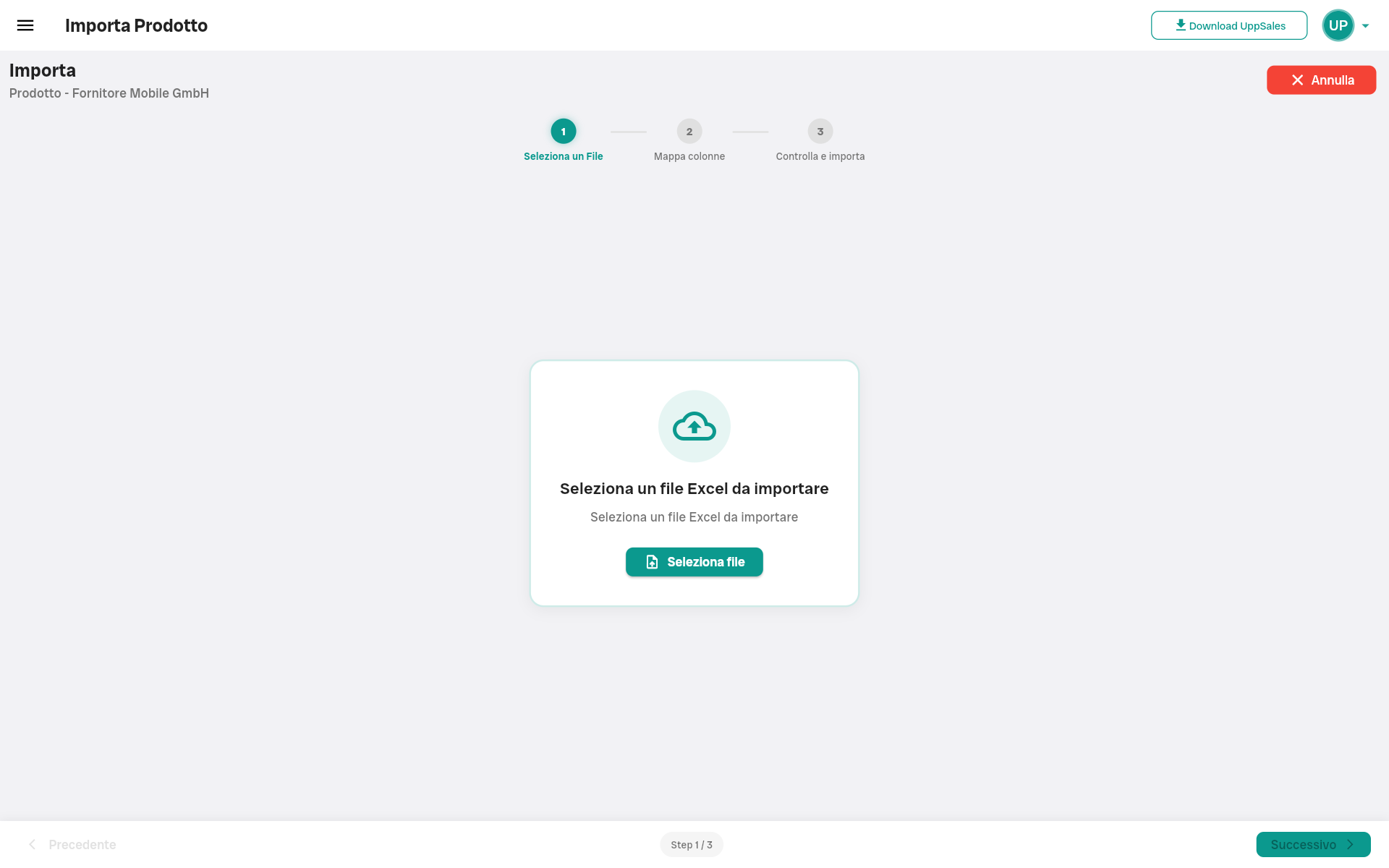
Products, customers, suppliers, and price lists are imported via Excel files. The flow is completely bidirectional: anything you import from Excel you can edit from the app, and anything you enter or edit in the app you can export to Excel. You can update the data in the app directly or edit it in Excel and re-import it-the system recognizes the structure and updates only the changed fields.

  • UppSales Excel template: system automatically recognizes it, import in seconds
  • Custom Excel file: one-time column mapping, saved for all subsequent reuses
  • Manual entry: any entity can be added or edited directly from the app
  • Export to Excel: at any time, for all data in the app

→ Learn more: Data import: how the process works

data import
import products

7. Available on all devices

UppSales works across all major platforms. Data automatically synchronizes between all agent devices in real time-if you update something on your tablet during a visit, you’ll already find it updated when you open the app from your browser in the office.

  • iPhone and iPad: App Store
  • Android smartphones and tablets: Google Play
  • Windows Computer: Microsoft Store
  • Mac: Mac App Store
  • Web browser: no installation, access from any PC or Mac

→ Learn more: Cross-platform system: compatibility and synchronization

UppSales available on Apple App Store
UppSales available on Google Play Store
UppSales available on Microsoft Store

8. Automatic saving and synchronization

Every order is saved the moment you edit it. No manual backups, no risk of losing data if you close the app by accident.

  • Automatic saving at every change, even during compilation
  • Real-time synchronization across all agent devices
  • Complete history of each order always searchable by customer

→ Learn more: Immediate saving: how synchronization works

UppSales screenshot
Modifica ordine in UppSales
UppSales screenshot

Before and after UppSales: the practical comparison

This table summarizes how the daily workflow changes for a commercial agent.

ACTIVITIES WITHOUT UPPSALES WITH UPPSALES
Collect an order during the visit Take notes in notebook or phone, transcribe to Excel at home in the evening Open app, select customer, add products from catalog, submit. Before you head out the door
Apply the right price for that customer Search list file, find correct discount, calculate manually The system automatically applies the correct price and discount from the moment you select the customer
Collect orders without a digital PDF catalog Show paper catalog and transcribe codes by hand Show paper catalog and add products by searching for them by code in the app – no transcription
Collect orders with digital PDF catalog Open the PDF, find the product, copy the code, paste it into the order – for each product Click the code directly on the PDF page in the app – the product enters the cart with the price already applied
Changing vendors during the visit Open different files and folders, risk confusing prices or products from different brands One click to switch to next vendor – all separate, no confusion
Update price list. Send the new file to each agent – everyone has their own version, risk misalignments Re-import the updated Excel – all agents see the new prices right away
Correct an error on the order Call customer back, rewrite order, resend Rare: system automatically applies correct price – pricing errors are almost eliminated

Who UppSales is designed for

UppSales works for four different profiles, each with specific needs:

Agent with Excel price list and paper catalog

You have the supplier’s price list in Excel and a paper catalog to show customers. You import the price list into the app, configure your customers’ discounts, and during visits show the paper catalog and collect the order by searching for products by code in the app. Nothing to transcribe in the evening.

Agent with Excel price list and digital PDF catalog

You also have the supplier’s catalog in PDF. You upload it to the app, link it to the products, and during visits you show the PDF on the tablet and directly click the products on the pages. The submission and order collection flow all happens in the same tool.

Multi-firm agent

You represent multiple suppliers, each with its own Excel price list and perhaps its own PDF. Each supplier has its own separate space in UppSales: price list, customer terms, and catalog never mix. You switch from one mandate to another with one click during a visit.

Representative agency

Coordinate a team of agents. Update price lists and catalogs for everyone in one operation, assign customers to agents, and monitor orders collected from the central dashboard. Each agent sees only his or her own customers and suppliers.

What you find only in UppSales and don’t find in other agent apps

Most sales agent apps start out as CRM or management apps, with order collection added as a secondary function. UppSales was born the other way around: order collection is the center of everything.

Direct click on the codes in the PDF: no need to re-enter anything manually, just touch the code on the catalog and the product goes into the cart.

Native PDF import: no need to recreate the catalog from scratch, you upload the vendor’s PDF and it becomes interactive in minutes

Native multi-mandate: not a workaround but a feature designed from the start, each vendor with its own completely separate space, tested by agents with 10+ brands

Customized modules: build your plan by choosing only the functions you use, no fixed costs for functions you don’t need.

Built by an Italian software house: team based in Varese, direct support in Italian from Monday to Friday, no external call center

Fast data import: even very large datasets are imported in seconds, with mapping saved for reuses

Try UppSales for free

Try all features for free for 15 days

No credit cards, no strings attached. Access the full version of UppSales and test every feature in your working reality. If within 15 days you are not convinced, stop using it, with no automatic charges.

→ Start the trial at platform.uppsales.io

→ Learn about plans and prices/

→ Do you have doubts? Read the frequently asked questions or call us: +39 0332 239546